
To access the NewsData.io API, you first need to generate an API key. Follow the steps below to get started:
Sign Up
Create a free NewsData.io account by signing up on the registration page.
Verify Your Email
After signing up, verify your email address to activate your account.
Log In to the Dashboard
Once your email is verified, log in to your NewsData.io account and open the dashboard.
Get Your API Key
Your unique API key will be available directly on the dashboard. This key is used to authenticate all API requests.
Start Making API Requests
After obtaining your API key, you can begin making requests to the NewsData.io API to retrieve news articles based on your selected parameters.
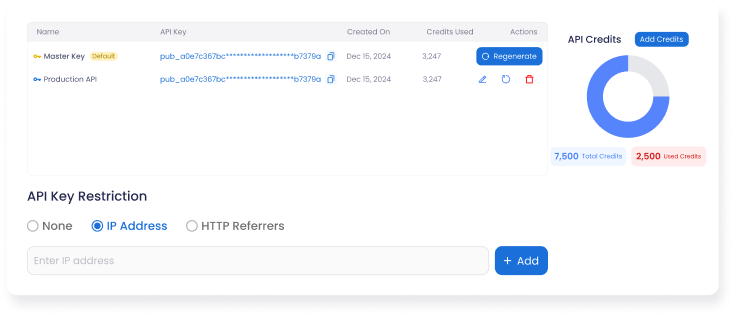
Keep Your API Key Secure
Your API key is private and should not be shared publicly or exposed in client-side code. Always store it securely to prevent unauthorized usage.
Was this page helpful?